
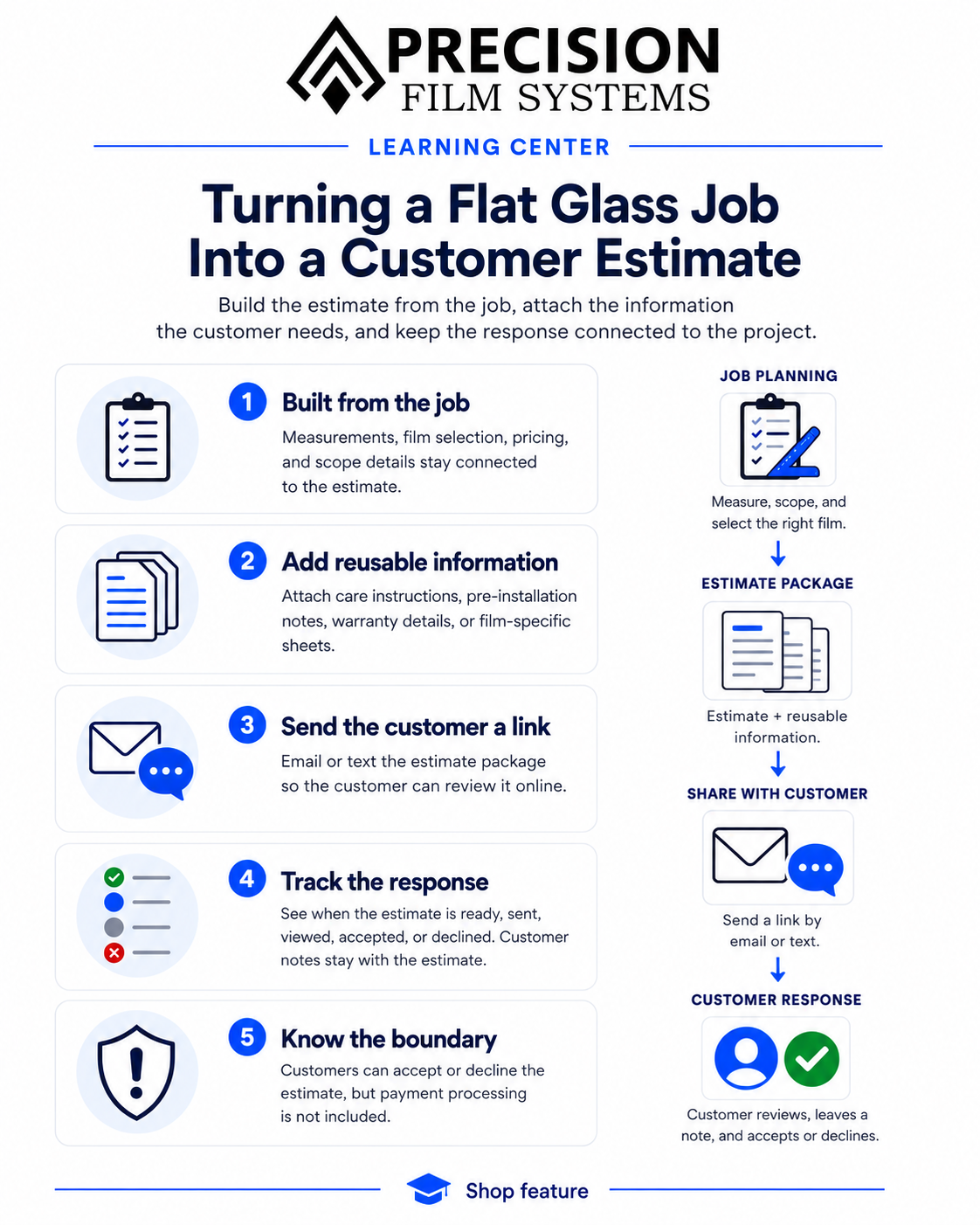
By the time a flat glass job is ready to quote, a lot of the information needed for the estimate is already there. The customer is entered, the windows have been measured, the film has been selected, and the job has been organized into the sections that actually need to be installed.
Precision Film Systems uses that same job information to build the customer estimate instead of treating the estimate like a separate piece of work.
The estimate starts with the job
The pricing in the estimate comes from the information already entered for the project.
On a straightforward job, that may be one set of windows and one film. On a larger project with Scopes, the estimate can carry the separate parts of the job into the same customer proposal.
The customer still gets one estimate for the project, while the detail behind it stays connected to the way the job was actually planned.
That keeps the estimate tied to the measurements and selected film instead of rebuilding the quote from another set of notes after the planning is finished.
Add the information you normally give the customer
An estimate does not always stop at the price.
A shop may want to give the customer care instructions, information about preparing for the installation, warranty details, or a product sheet for the film being proposed.
Precision Film Systems lets the shop create reusable sheets for that kind of information and include them with customer estimates.
Those sheets can also be set to attach automatically based on the job. A shop could have one sheet for a particular job type, another that belongs with a specific film, or information that should go out whenever a film from a certain manufacturer is selected.
The shop decides what those pages contain and when they belong in the estimate package.
One package can carry more than the quote total
When those additional sheets apply, they become part of the customer estimate rather than separate files that have to be found and sent afterward.
A residential estimate might include the price along with care instructions. A particular specialty film might bring its own product information into the package. Another shop may use the same system for pre-installation instructions or warranty information.
The estimate can stay as simple or as detailed as the job calls for.
Send the estimate to the customer
Once the estimate is ready, it can be emailed or texted to the customer from Precision Film Systems.
The customer receives a link where they can review the estimate package online. They can read the pricing and any additional sheets included with it without needing access to the Precision Film Systems app.
From the same customer page, they can leave a note and accept or decline the estimate.
That gives the customer a clear place to respond instead of making the shop piece the answer together from a PDF, an email thread, and a separate text conversation.
See what happened after it was sent
Precision Film Systems keeps the estimate status with the job.
The shop can see when the estimate is ready, when it has been sent, when the customer has viewed it, and whether it was accepted or declined.
If the customer leaves a note with the response, that comes back with the estimate as well.
For a job that is still waiting on approval, there is a big difference between knowing an estimate was sent and knowing the customer has actually opened it.
Acceptance does not process a payment
Customer acceptance records their response to the estimate. It does not charge a card or collect a deposit.
There is currently no payment processing built into the Precision Film Systems estimate workflow.
If the estimate calls for a deposit or payment, the shop still handles the actual transaction through whatever payment system it uses.
The estimate stays connected to the flat glass job
The estimate is not a separate generic quote that happens to have the customer name copied onto it.
It comes out of the same job where the windows, film, Scopes, material planning, and pricing were already being worked through.
Then the customer-facing side can carry the proposal, the information the shop wants to send with it, and the customer's response back into that same job.
That is the part of the estimate workflow Precision Film Systems is built around: taking the flat glass job that has already been planned and carrying it through to something the customer can review and respond to.
Frequently asked questions
Can I email or text an estimate from Precision Film Systems?
Yes. The customer can be sent a link to the estimate by email or text.
Can the customer accept or decline the estimate online?
Yes. The customer page allows them to review the estimate, leave a note, and accept or decline it.
Can I tell whether the customer viewed the estimate?
Yes. Precision Film Systems tracks the estimate through statuses including ready, sent, viewed, accepted, and declined.
Can I include additional pages with an estimate?
Yes. Shops can create reusable sheets and include them with estimates.
Can those sheets be added automatically?
Yes. A reusable sheet can be configured to attach based on things such as the job type, a specific film, or a film manufacturer.
What can the additional sheets be used for?
The shop controls the content. They can be used for things such as care instructions, pre-installation information, warranty details, or information for a particular film.
Does accepting an estimate collect payment?
No. Precision Film Systems does not currently process payments through the estimate. Acceptance records the customer's response to the proposal.