
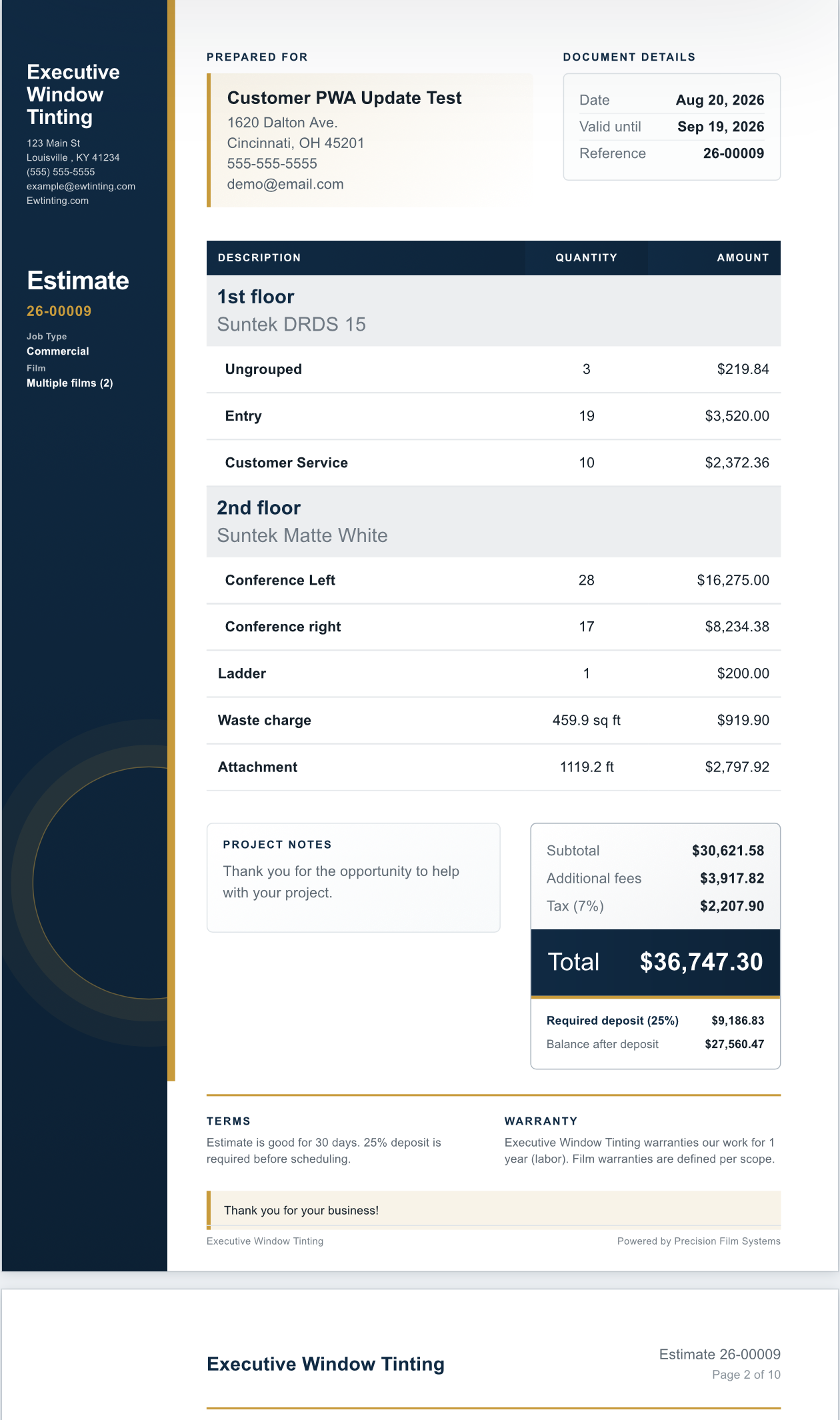
A cleaner estimate starts with a material plan that has already been checked.
Precision Film Systems helps flat-glass window film professionals build estimates from the same customer details, measured panes, scopes, films, and planning information used for the job.
The customer can see a clear proposal while the shop keeps roll width, linear feet, waste, cut layout, and job output connected underneath it.
The quote is simple. The material decision underneath it is not.
Square footage gives the measured glass area, but it does not show how panes fit a roll, whether a different width changes the order, or what the cut layout does to waste and remainder.
Measured job information
Keep customer details, pane sizes, quantities, groups, scopes, elevations, and selected films tied to the real project.
Material numbers before pricing
Compare roll widths, linear feet, efficiency, waste, fit warnings, and order length. Shop also supports planning around available Film on Hand.
Customer and crew output
Carry the selected plan into a branded estimate, online response, cut layout, window list, and production handoff.
Keep quote-ready information connected to the way the film will be planned.
The value is not that every planning number appears on the customer estimate. The value is that the estimate can come from a job record that already understands the material side.
That gives the shop a better starting point for pricing, ordering or pulling film, reviewing waste and remainder, preparing the cut layout, and handing usable information to the crew.
| Job information | How it supports the estimate |
|---|---|
| Measurements and quantities | Creates the pane list used for the material plan. |
| Groups, scopes, and elevations | Organizes rooms, floors, films, phases, or job areas. |
| Film and roll-width options | Connects the quote to the film and width the shop may use. |
| Linear feet and waste | Adds material numbers beyond measured square footage. |
| Pricing and estimate settings | Carries reusable shop assumptions into customer output. |
| Cut layouts and window lists | Keeps production output tied to the accepted job plan. |
Estimate tools built around the job plan.
The customer-facing packet stays connected to the same scopes, films, measurements, and pricing structure used to plan the job.
- Separate work by elevation, floor, film, crew, phase, or another useful scope.
- Use Film Catalog details, pricing presets, taxes, removal, attachment, waste, and additional charges.
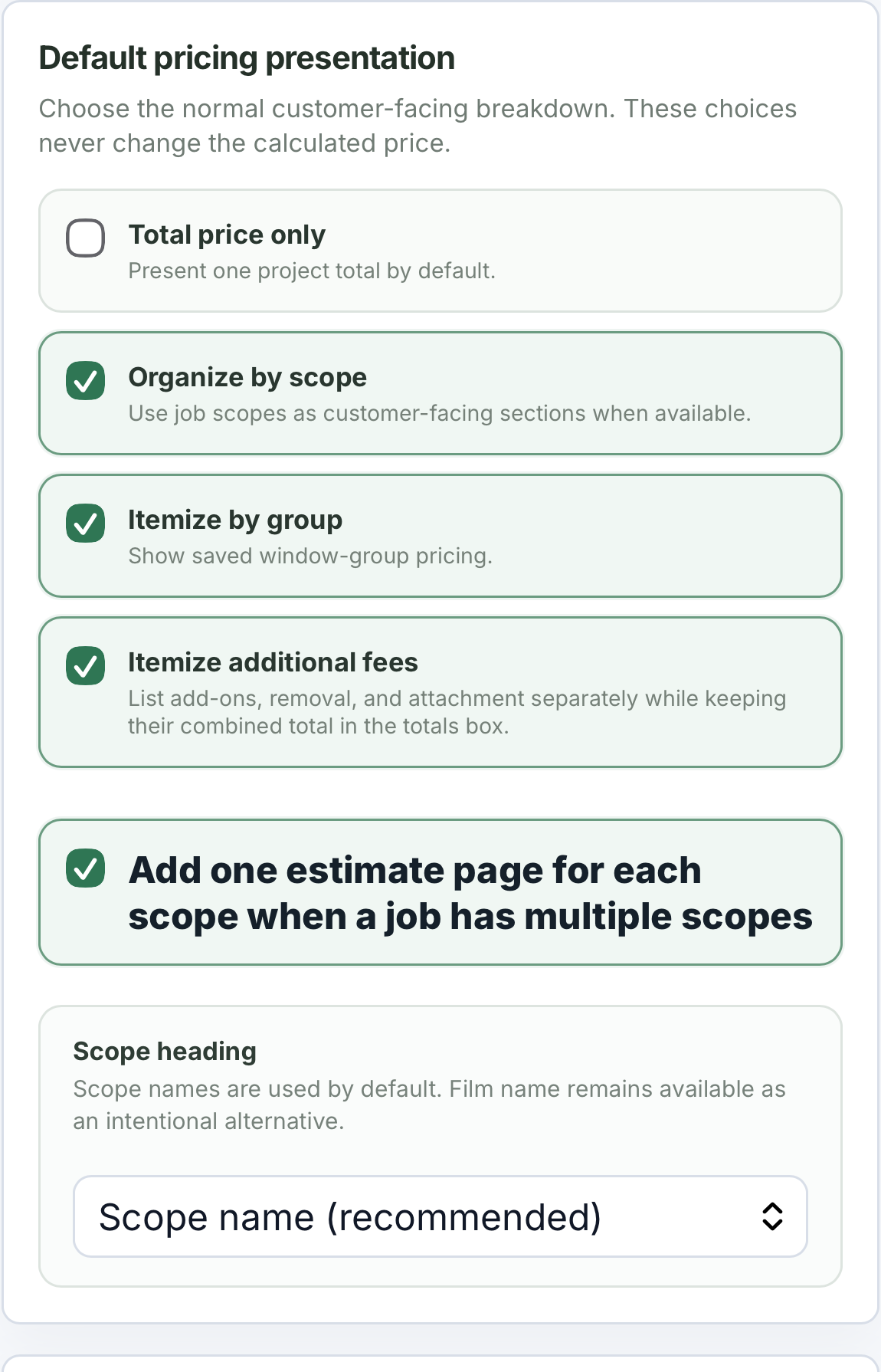
- Choose total price, scope organization, group itemization, or additional-fee details.
- Share an online estimate where the customer can accept, decline, and leave a note.
- Track estimate status without turning Precision Film Systems into a full CRM.
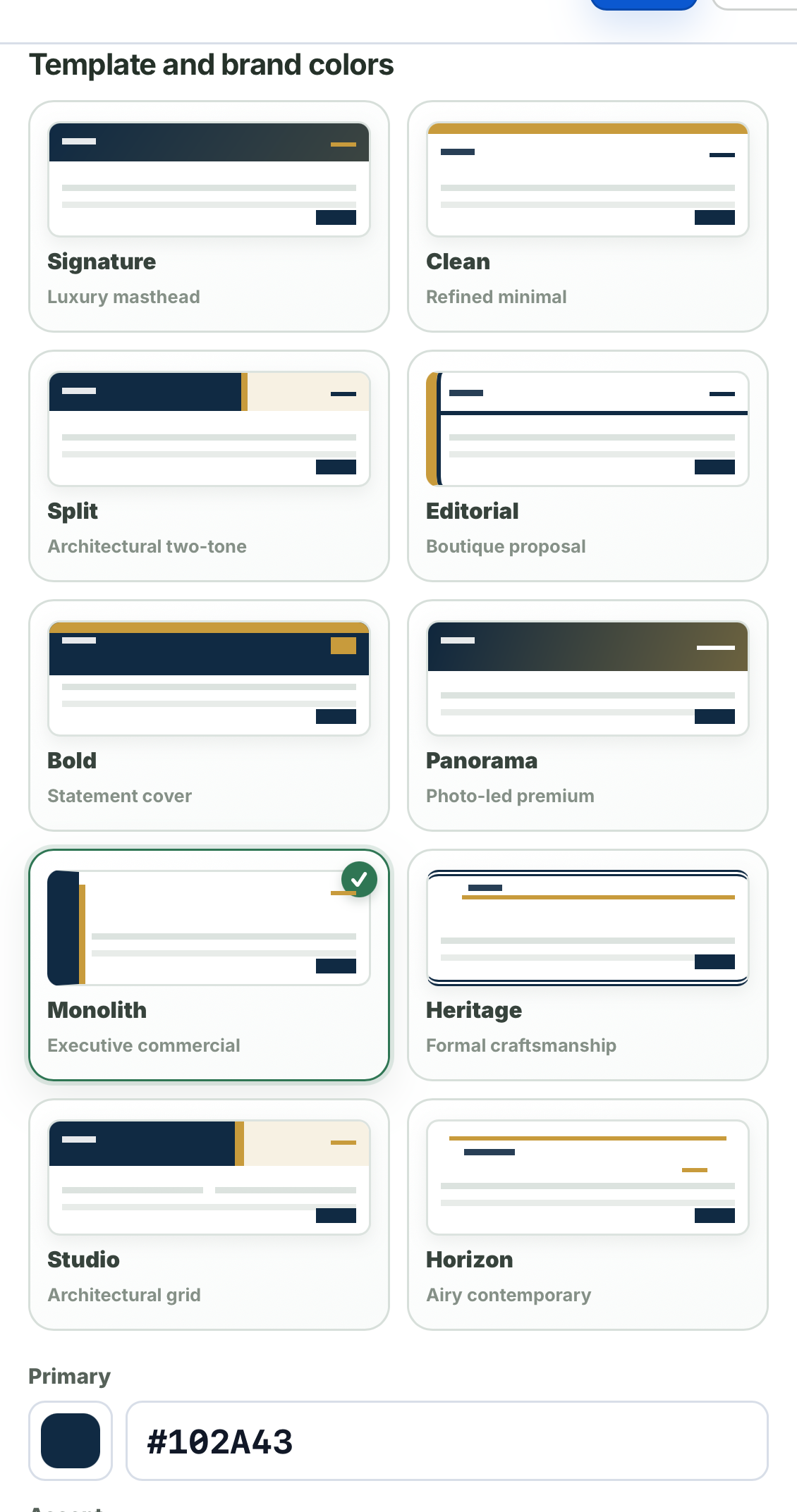
Ten estimate styles, with brand controls for the shop.
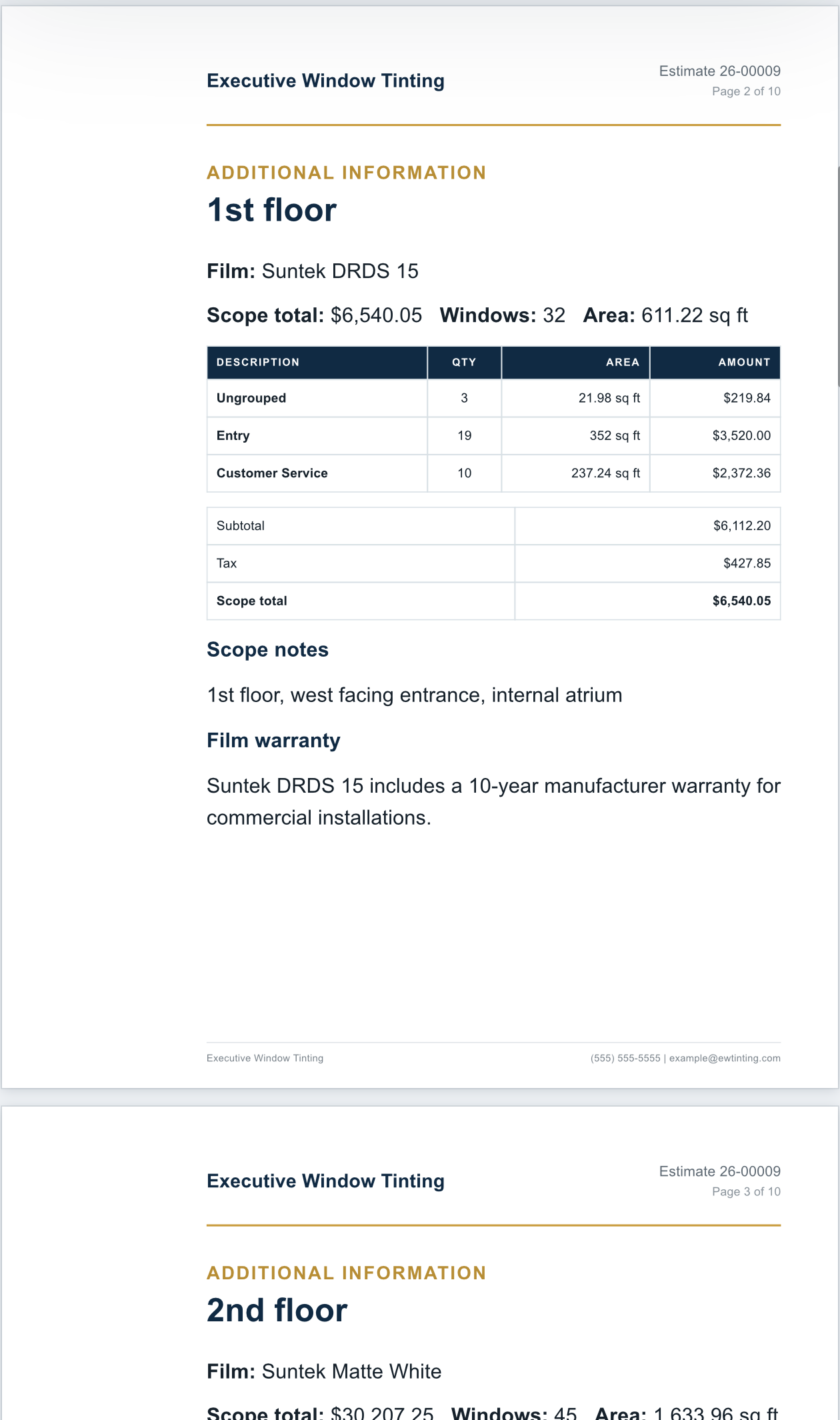
Choose from 10 estimate styles/layouts, then adjust colors and presentation details so the packet fits the way the shop presents its work.
Pricing presentation and itemization stay separate from visual style, giving the shop control over what the customer sees and how it looks.
Put supporting customer information in the same packet.
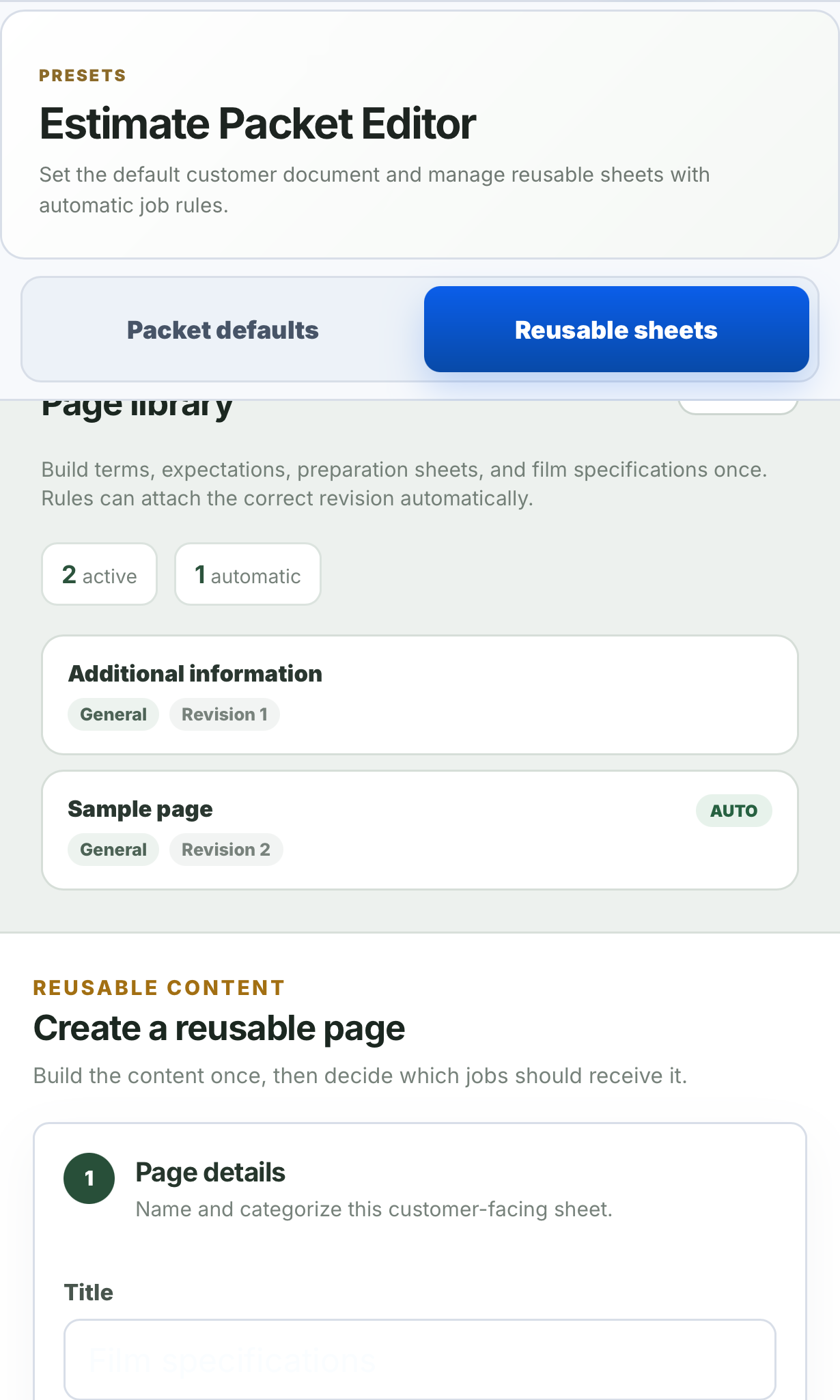
Reusable sheets can hold warranty notes, preparation instructions, care instructions, film information, or other customer-facing content the shop sends repeatedly.
Attach a sheet manually, or use rules based on job type, film, or manufacturer. The customer receives the estimate and supporting pages together.
- Create reusable pages once and revise them when the shop's information changes.
- Keep active sheets organized in a reusable library.
- Use automatic rules where the same content belongs with the same kind of job or film.
Use scopes when one customer job needs more structure.
Residential rooms and commercial elevations may look different in the field, but both can require separate films, repeated panes, different crews, phased work, and distinct pricing sections.
Scope pages can separate floors, elevations, films, crews, phases, or whatever structure the shop uses while keeping the full job together.
Focused on a different part of the business.
CRM, invoicing, field-service, automotive pattern, and generic nesting tools can be useful. Precision Film Systems belongs in the flat-glass planning layer that supports the estimate.
| Tool type | Main focus | Where Precision Film Systems differs |
|---|---|---|
| CRM or field-service software | Leads, scheduling, records, invoices, payments, and reminders. | Focuses on measured panes, roll planning, material numbers, estimates, and job output. |
| Generic estimating software | Pricing, proposals, margins, and line items. | Connects the estimate to film-specific roll width, linear feet, waste, and cut layout. |
| Automotive tint pattern software | Vehicle patterns, plotter output, and make/model workflows. | Starts from measured residential and commercial flat-glass panes. |
| Generic nesting software | Placing shapes on material. | Keeps pane groups, film information, roll comparison, waste, and handoff context connected. |
A practical path from measurements to customer response.
The workflow can stay light for a quick planning job or use saved shop settings for a more complete estimate packet.
- 1
Build the measured job
Add the customer, panes, quantities, scopes, and film being considered.
- 2
Check the material side
Compare roll widths, linear feet, efficiency, waste, fit warnings, and layouts.
- 3
Prepare the estimate
Apply pricing, choose a layout, control itemization, and attach reusable sheets.
- 4
Keep the next step connected
Record the response and carry the accepted plan into job and production output.
Built for the flat-glass part of a window film shop.
Good fit for
- Residential installers who want estimates backed by a clearer material plan.
- Commercial shops comparing roll widths across larger pane lists and multiple scopes.
- Teams moving from spreadsheets, calculators, handwritten notes, or generic tools.
- Shops that want branded layouts, reusable sheets, customer responses, and status tracking.
Not meant to be
- A complete CRM, accounting system, invoicing platform, or payment processor.
- An automotive pattern database or generic all-in-one field-service platform.
- A replacement for manufacturer compatibility guidance or installer judgment.
- A guarantee that one roll width, price, or cut layout is always best.
Questions shops ask about window film estimating software.
Short answers about category fit, customer response, pricing control, and where Precision Film Systems stops.
Is Precision Film Systems window film estimating software?
Yes, with an important boundary. It connects measured panes, scopes, films, roll-width comparisons, material numbers, pricing presets, estimate layouts, customer approval, and job output. It is not a full CRM, invoicing system, accounting platform, payment collection system, or generic field-service app.
What makes it different from a square-footage calculator?
A square-footage calculator shows measured glass area. Precision Film Systems also helps show how panes may fit available roll widths, how much linear footage the layout uses, where waste appears, and how the material plan connects to quote-ready job information.
Can it be used for residential window tint estimates?
Yes. Residential jobs can be planned from measured pane sizes, quantities, room groups, selected film, roll-width options, linear feet, waste, pricing details, and customer-facing output.
Can it be used for commercial window film estimates?
Yes. Commercial jobs can keep repeated panes, scopes, elevations, film choices, roll-width comparisons, material numbers, estimate details, and job output connected.
Does it replace CRM, accounting, invoicing, or payment software?
No. Precision Film Systems focuses on the flat-glass estimating and job-planning layer. A shop may still use other systems for CRM, scheduling, invoicing, payment collection, accounting, or broader business management.
Does the software choose the final price?
No. It can support pricing presets, material numbers, estimate layouts, and customer approval tracking, but the shop controls the final estimate and every pricing decision.
Can customers accept or decline an estimate?
Yes. A customer can review the estimate online, accept or decline it, and leave a note. The estimate can show a deposit percentage due at acceptance, but Precision Film Systems does not collect the deposit or final payment.
Why should the estimate stay connected to the cut plan?
Because pane fit, roll width, linear feet, waste, order length, and usable remainder can all affect whether the estimate is carrying the material side of the job correctly.
Run one measured flat-glass job through Precision Film Systems.
Compare the estimate-ready material numbers against the way your shop currently plans the job. The demo covers the core Solo and Flex optimizer; Shop estimating features and settings require Shop access.