
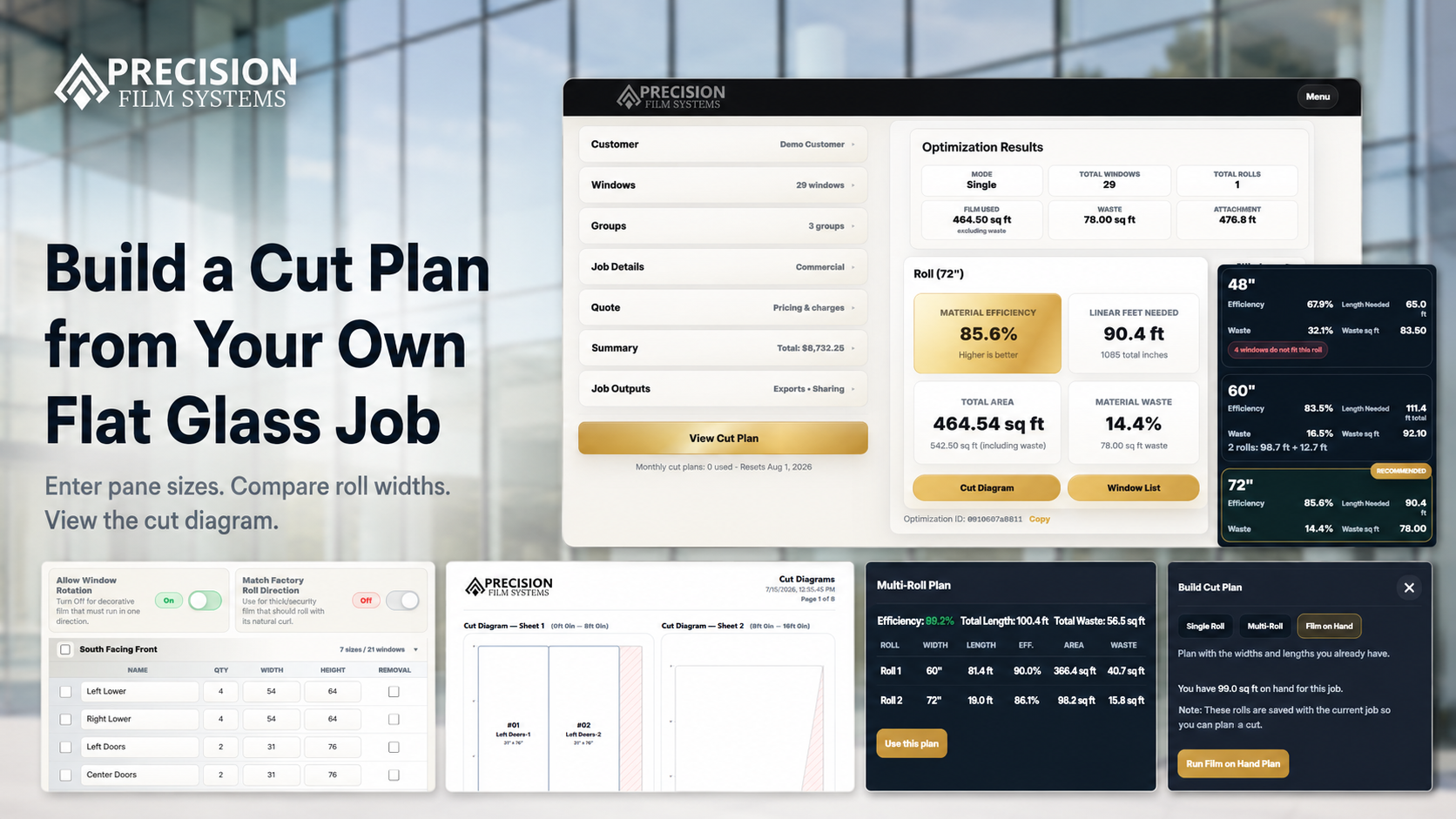
A measurement list becomes a cut plan only after it meets the roll.
A job sheet can hold every pane size and still leave the material layout unresolved. The cut plan shows whether the panes fit the selected width, how many linear feet the layout uses, where cut-layout waste appears, and how the pieces connect back to the window list.
Square footage tells you the glass area. It does not tell you the best roll-width path or the handoff your crew will actually follow.
Do not take the page's word for it.
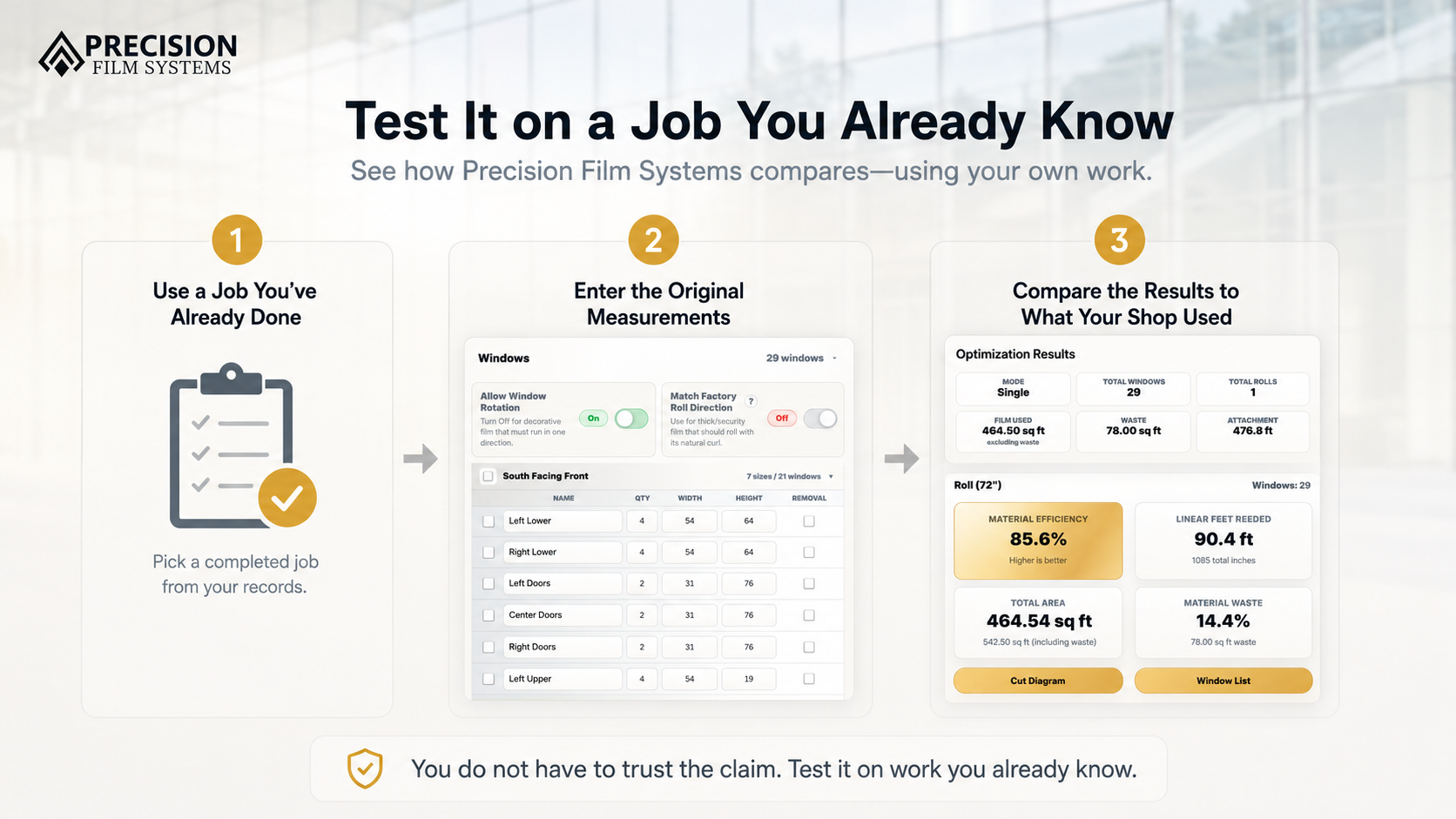
A polished sample job can make any planning tool look tidy. A completed job gives you a better read because you already know the measurements, the film ordered or pulled, the roll width used, and how the job was cut.
Use real measurements
Enter the pane sizes, quantities, groups, and any unusual windows from a residential, commercial, or storefront job your shop already handled.
Compare the material numbers
Review the demo's roll-width options, linear feet, cut-layout waste, and fit warnings beside your original order or pull record.
Open the cut diagram
Check how repeated panes, wider pieces, doors, sidelights, and odd sizes land on the selected roll width.
Three useful checks inside one demo job.
The demo is strongest when it is treated like a comparison tool, not a brochure. Its one included job moves from the pane list through standard roll-width comparison and into the cut diagram. Shop project tools and settings are not part of this evaluation.
-
1
Enter pane sizes
Add width, height, quantity, and groups so the job stays organized by room, elevation, phase, or storefront section.
-
2
Compare roll widths
Run the same job against selected standard widths and see which options fit the full pane list.
-
3
Review the numbers
Check measured area, linear feet, efficiency, cut-layout waste, and warnings before trusting a material path.
-
4
Use the diagram
Open the selected layout and compare window placement against your actual cut notes or crew handoff.
A smaller footage number is not useful if the job does not fit.
In this sample comparison, a 48 inch roll appears to use fewer linear feet, but several panes do not fit that width. The warning is the point: a partial plan should not be treated like a better full-job answer.
The 60 and 72 inch rolls both fit the job, but they create different length and waste results. The shop still decides which path fits the material, ordering, handling, and remainder situation.
| Roll option | Fit result | Linear feet | Cut-layout waste | Planning note |
|---|---|---|---|---|
| 48 inch roll | Partial job | 65.0 ft | 32.1% | Warning result: four panes do not fit this roll width. |
| 60 inch roll | Full job | 106.5 ft | 12.8% | All panes fit with the strongest efficiency in this example. |
| 72 inch roll | Full job | 90.4 ft | 14.4% | Valid result with lower length than the 60 inch option, but slightly more waste. |
A clearer planning layer between measurements and material use.
Precision Film Systems is built for the part of the flat glass job where pane sizes, quantities, film choice, roll width, linear feet, cut-layout waste, and cut diagrams need to line up.
It does not replace measuring, installer judgment, manufacturer guidance, or the systems your shop already uses for scheduling, invoicing, or accounting. It gives the material decision a more visible place to live.
- Compare 36, 48, 60, and 72 inch roll-width paths from the same pane list.
- Review measured area, linear feet, efficiency, and cut-layout waste together.
- Keep cut diagrams connected to the entered measurements and window list.
- Separate cut-layout waste from remainder and usable inventory when reviewing the plan.
Questions shops ask before trying the demo.
Short answers for installers and shops deciding whether to test the cut planner with real job records.
What does the Precision Film Systems demo include?
The free demo includes one flat glass job using the same core optimization workflow available in Solo and Flex. Enter measurements, compare standard roll widths, review film metrics, and generate cut diagrams and a window cut list.
Shop features, project workflows, and Shop settings are not included. No credit card is required.
What is a window film cut planner?
A window film cut planner uses entered pane sizes and quantities to show how the pieces can fit on selected roll widths. A useful result should include fit, linear feet, waste visibility, and a cut diagram.
Should I test the demo with a sample job or a completed job?
A completed job is the stronger test because you can compare the demo's roll width, linear feet, waste, and cut diagram against material records from work your shop already understands.
Does the demo automatically cut the film?
No. The demo shows the material plan, roll-width comparison, and cut diagram. It is not an automotive plotter controller or a replacement for the shop's cutting process.
Does Precision Film Systems choose the final roll width?
No. Precision Film Systems makes the roll-width comparison clearer, but the shop still decides which roll width, order length, cut layout, and handling path make sense for the job.
Run the one-job demo with work you already know.
Use the core Solo and Flex optimization workflow to compare standard roll widths, film metrics, cut diagrams, and the window list against a completed flat glass job. Shop features and settings are not included.